
Before developing our accessibility widget, we analysed the extensions already available for TYPO3. What we found led us to develop our own extension that runs entirely on our clients' infrastructure. Here is what it offers your visitors, and what we improved along the way.
What an accessibility widget actually does
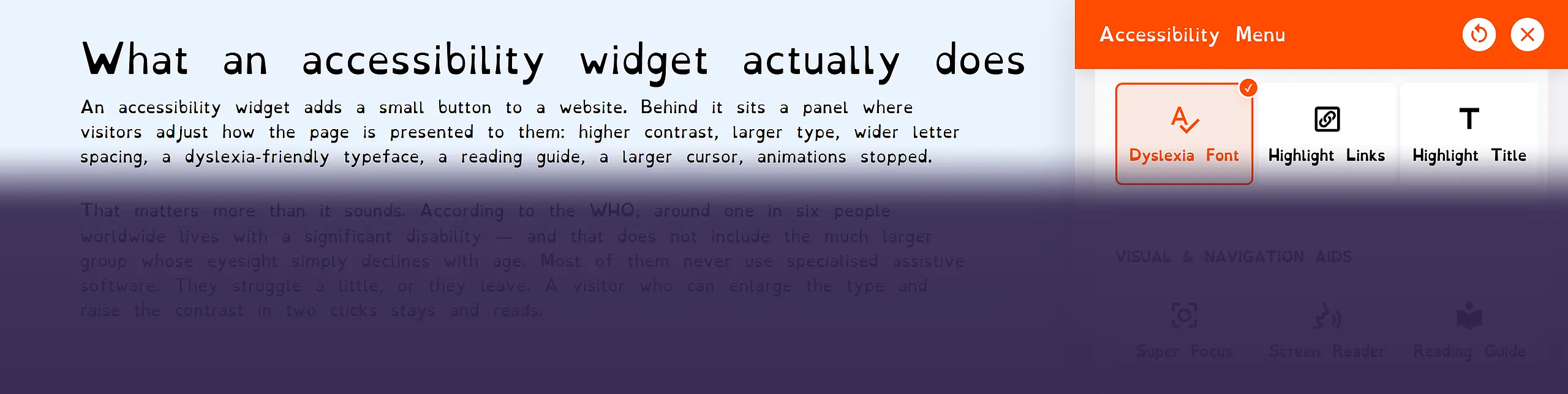
An accessibility widget adds a small button to a website. Behind it sits a panel where visitors adjust how the page is presented to them: higher contrast, larger type, wider letter spacing, a dyslexia-friendly typeface, a reading guide, a larger cursor, animations stopped.
That matters more than it sounds. According to the WHO, around one in six people worldwide lives with a significant disability — and that does not include the much larger group whose eyesight simply declines with age. Most of them never use specialised assistive software. They struggle a little, or they leave. A visitor who can enlarge the type and raise the contrast in two clicks stays and reads.
Who has to be accessible
European Union
The European Accessibility Act has applied since 28 June 2025. It covers consumer-facing digital services such as online shops, banking, passenger transport, telecommunications and e-books. Micro-enterprises are exempt for services — but only those with fewer than ten employees and an annual turnover or balance sheet of no more than EUR 2 million. Companies based in Switzerland that serve consumers in the EU are not outside its reach.
Switzerland
The Disability Discrimination Act (BehiG) binds the federal administration and its services, with eCH-0059 as the technical standard. For private companies the obligation is narrower today, but the direction of travel is clear, and procurement is moving faster than legislation: public tenders and large corporate clients increasingly ask about accessibility.
Germany
The Barrierefreiheitsstärkungsgesetz (BFSG) implements the EAA in German law and has applied to private companies since the same date, with the same micro-enterprise exemption. For Swiss businesses with German customers, this is the regime that matters in practice.
What we found
We looked at the source code of two accessibility extensions for TYPO3 to see what really happens when a client installs them.
The first switches off the Content Security Policy of the entire TYPO3 installation and contacts the vendor's server on every page request. If that server is slow, your website waits too.
The second only works on domains registered on the vendor's licence server, so it cannot even be tried out on a staging site.
With both, every page view sends the visitor's IP address to third parties. For audiences in Germany that is a sensitive point: in 2022 the Regional Court of Munich ruled that passing a visitor's IP address to a third party without consent, in that case via Google Fonts, violated their rights.
What the widget offers
Our extension is based on an open-source accessibility library under the MIT licence, which we host, extend and maintain ourselves. It is one package for TYPO3 13 and 14 and contains no PHP code at all — everything runs through site sets and TypoScript. It has been in production since October, on this website and on client websites.
Everything stays on your server
The widget, all 51 interface languages and the dyslexia-friendly typeface ship inside the extension, and in operation it makes no external request whatsoever. There is no licence key, so it works on any domain from the first minute, including staging, and the Content Security Policy stays fully active.
Configured in the backend
Six ready-made profiles — for example for low vision, ADHD or motor impairments — and twenty individual tools for contrast, type, spacing, cursor, reading guide and more. Each one can be switched on or off individually in TYPO3's site settings, along with the button's colour, size (separately for mobile), position, icon and language. What a website does not need, its visitors never see.
You can try it right here: the button in the bottom left corner of this page opens the widget.
What we improved
Reading the library's source, we found that some tools appear in the menu but were never implemented. We completed them and improved a number of other details:
- A screen reader that actually reads. It reads out the element under the mouse pointer or the keyboard focus, in the language of the page, from the very first click.
- Hide Images, Image Tooltips and Super Focus. Listed in the original menu but without any function. In our version they work: images can be hidden, their alternative text appears as a tooltip, and the keyboard focus is clearly highlighted.
- Full keyboard operation. Esc closes the menu, focus stays inside the open menu and returns to the button afterwards, which is what screen-reader users expect from a dialog.
- Stop Animations that really stops. It also halts JavaScript animations such as GSAP and jQuery effects and pauses autoplay videos, not only CSS effects.
- Your colour throughout. The accent colour chosen in the backend applies to the whole menu, not just the button.
- A robust layout. The menu keeps its layout whatever the website's own styles, and even long German words such as "Zeichenabstand" fit their tiles.
- No external links. By default, the menu contains no links to third-party services.
The library itself is generous open-source work. Our version builds on it and makes it ready for production use on company websites.
How we usually approach it
The widget lets visitors adapt how a page is presented. It complements an accessible website and works best on one. That is why we usually combine it with work on the website itself:
- Audit first. We check the site against WCAG 2.1 AA — the level the European standard EN 301 549 refers to — and produce a list of actual findings, not a score.
- Fix the structure. Alt texts, headings, keyboard navigation, forms, contrast in the design.
- Then the widget. Installed, configured for the site and its languages, matched to the design.
- Accessibility statement. An honest one, naming what is still outstanding and giving visitors a way to report barriers.
Where does your website stand?
If you run a TYPO3 website and accessibility has moved onto your agenda — through a tender, customers in the EU, or simply because it is overdue — get in touch. We will tell you where your site actually stands before we propose anything.